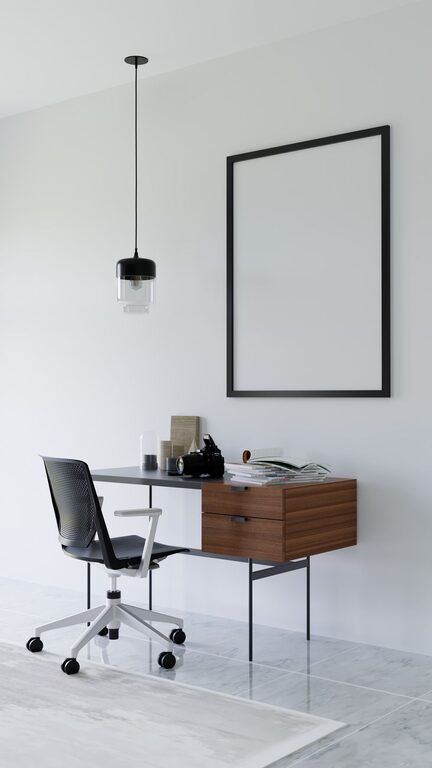
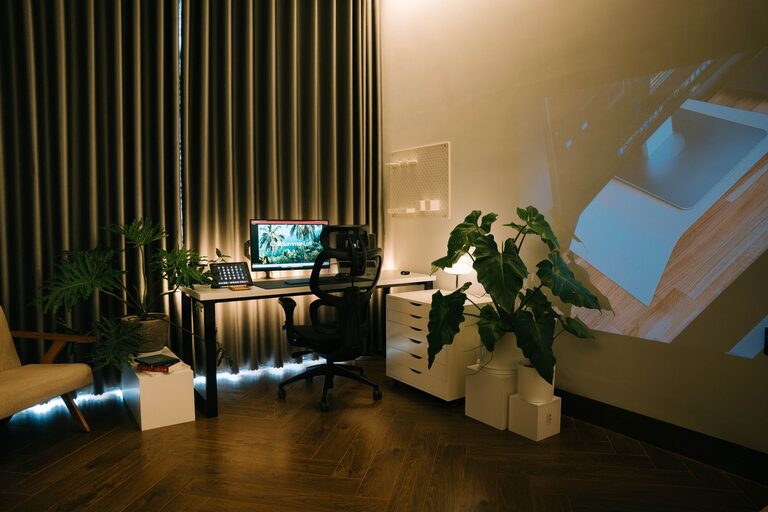
Creating a relaxing home workspace is essential for maintaining focus, reducing stress, and improving overall well-being while working from home. Whether you work full-time remotely or occasionally need a quiet spot for personal projects, a thoughtfully arranged space can make all the difference. In this post, we’ll explore simple yet effective ways to transform your home workspace into a calming environment that encourages productivity and comfort.
Why a Relaxing Workspace Matters
Your workspace directly impacts your mood, energy levels, and ability to concentrate. A cluttered, noisy, or poorly lit area can increase stress and decrease motivation. Conversely, a serene and organized workspace promotes mental clarity, creativity, and a sense of balance throughout your workday.
Choosing the Right Location
Selecting the ideal spot for your workspace is the first step in creating a relaxing environment.
– Natural Light: Whenever possible, place your desk near a window to benefit from natural light. Sunlight helps regulate your body clock and can elevate your mood.
– Quiet Area: Choose a space away from heavy foot traffic or noisy appliances to minimize distractions.
– Comfortable Size: Even a small nook or corner can serve as an effective workspace if properly arranged.
Declutter and Organize
A tidy space fosters a calm mind. Here’s how to keep your workspace organized:
– Minimal Essentials: Keep only the tools and items you use regularly on your desk.
– Storage Solutions: Use drawers, shelves, or storage boxes to neatly store supplies out of sight.
– Cable Management: Tidy up cords with clips, sleeves, or cable boxes to reduce visual clutter.
Ergonomic Setup
Comfort plays a big role in relaxation and focus.
– Desk and Chair Height: Adjust your chair so your feet rest flat on the floor and your wrists remain straight while typing.
– Supportive Chair: Invest in a chair with good lumbar support or use cushions to maintain posture.
– Monitor Position: Position your computer screen at eye level about an arm’s length away to reduce neck strain.
Incorporate Calming Colors and Decor
Colors and decor can influence your mood and productivity.
– Soothing Colors: Choose soft, neutral tones like light blues, greens, or beige for walls and accessories to create a calming atmosphere.
– Personal Touches: Add a few favorite items such as plants, artwork, or inspirational quotes to make the space inviting without causing clutter.
– Natural Elements: Indoor plants or a small water feature can improve air quality and add a peaceful vibe.
Control Lighting
Proper lighting can reduce eye strain and improve focus.
– Balanced Light: Combine natural light with adjustable artificial lighting to avoid harsh glare or dimness.
– Desk Lamp: Use a desk lamp with warm light that you can adjust to your preference.
– Avoid Overhead Fluorescent Lights: When possible, replace harsh overhead lights with softer bulbs or lamps.
Manage Noise Levels
Sounds can either distract or help concentration, depending on your preferences.
– Noise-Canceling Options: Use noise-canceling headphones or white noise machines if you work in a noisy environment.
– Soft Background Music: Some find instrumental or nature sounds helpful for relaxation and focus.
– Soundproofing: Consider rugs, curtains, or acoustic panels to absorb excess noise.
Establish a Routine and Boundaries
Creating habits and clear boundaries enhances your workspace effectiveness.
– Set Work Hours: Define specific start and end times to separate work from personal life.
– Break Reminders: Take short, frequent breaks to stretch, hydrate, and rest your eyes.
– Dedicated Workspace Use: Use your designated workspace only for work-related tasks to create mental separation.
Incorporate Mindfulness and Comfort
Adding small habits and items can contribute to a more relaxed workflow.
– Breathing Exercises: Practice deep breathing or brief meditation during breaks to reduce tension.
– Comfortable Temperature: Adjust heating or cooling to keep your workspace comfortable.
– Healthy Snacks and Water: Keep water and light snacks nearby to stay energized without leaving your space too often.
Keep Technology in Check
While technology supports your work, it can also add to stress.
– Limit Notifications: Turn off non-essential alerts to stay focused.
– Organize Digital Files: Maintain an organized desktop and file system to streamline tasks.
– Use Productivity Tools: Apps for task management or time tracking can help maintain workflow without overwhelm.
—
By applying these strategies, you can create a home workspace that feels inviting, peaceful, and efficient. Remember, the goal is to build an environment that supports your well-being and productivity, helping you enjoy your workday no matter where you are. Start small, personalize your area, and adjust your setup as you discover what works best for you.